Early access: now onboarding New Zealand businesses

Book, print and track every shipment from one screen.

Freight Manager pulls in orders from your online store, compares rates across your carriers, prints the labels and keeps your customers posted. Your team stops re-typing addresses into carrier websites.

14-day free trial. Monthly plans. Cancel any time.

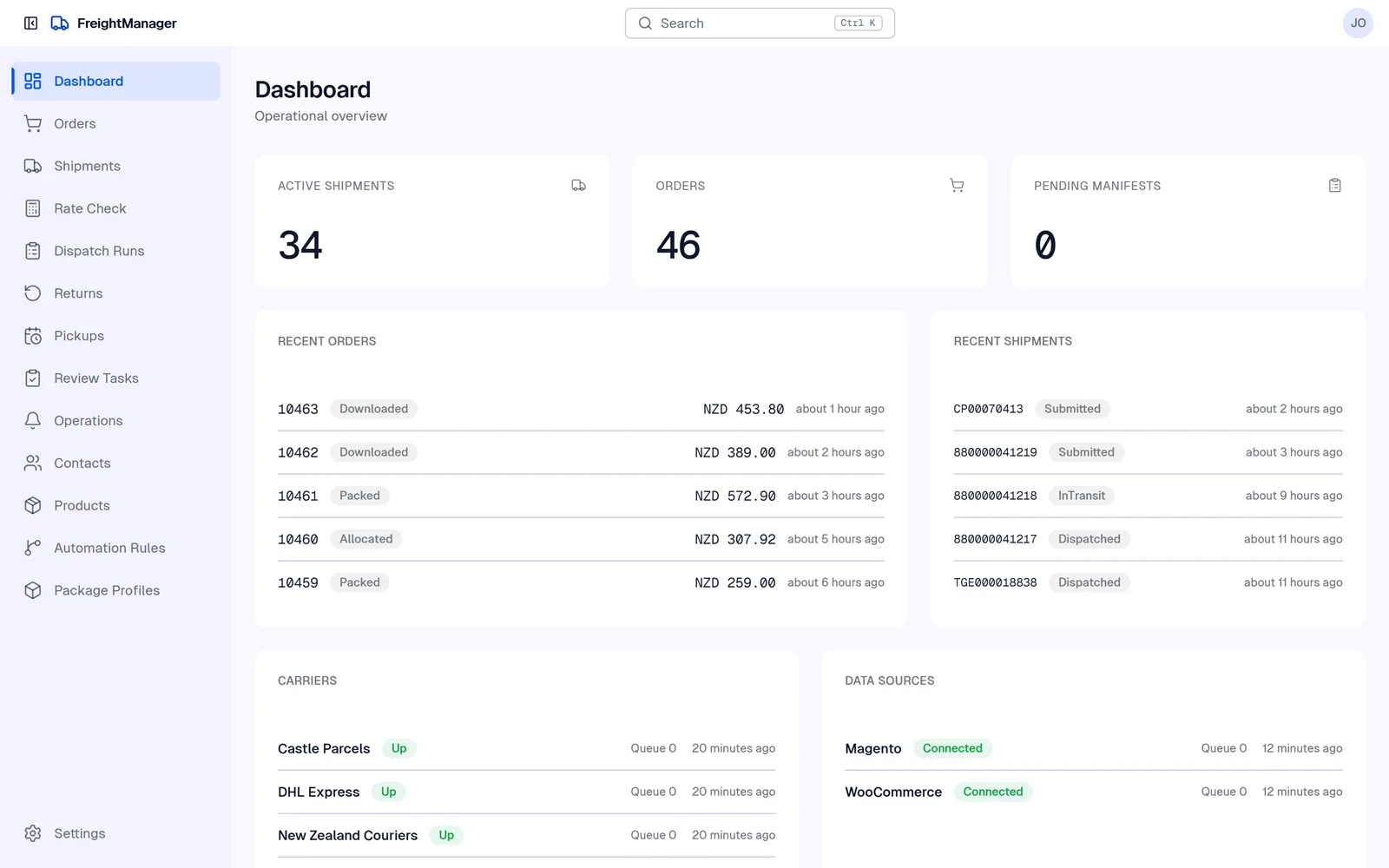
The Freight Manager dashboard for a demo company, showing today's shipments by carrier and status

Works with the carriers New Zealand businesses already use

  • TGE Priority
  • NZ Post
  • DHL Express
  • Zappy
  • Post Haste
  • NZ Couriers
  • Castle Parcels

Post Haste, NZ Couriers and Castle Parcels are the Freightways brands. Connect your own carrier accounts and keep the rates you've already negotiated.

From order to doorstep in four steps

  1. Orders arrive

    New orders flow in from WooCommerce or Magento, with Shopify coming soon, or you enter them by hand.

  2. Pick the carrier

    See every carrier's price and delivery time side by side, or let your rules choose.

  3. Print the label

    Labels go straight to your warehouse printer, and the day's dispatch is closed off in one place.

  4. Track to the door

    Tracking updates land in one list, and your customer gets an email at each step.

Built for the people who pack and send the orders

Every shipment, every carrier, one list

Filter by carrier, status or date. Spot the parcel that's stuck before your customer rings to ask about it.

  • Live status from each carrier's tracking
  • Reprint any label in a couple of clicks
  • Export the list to CSV for Excel whenever you need it
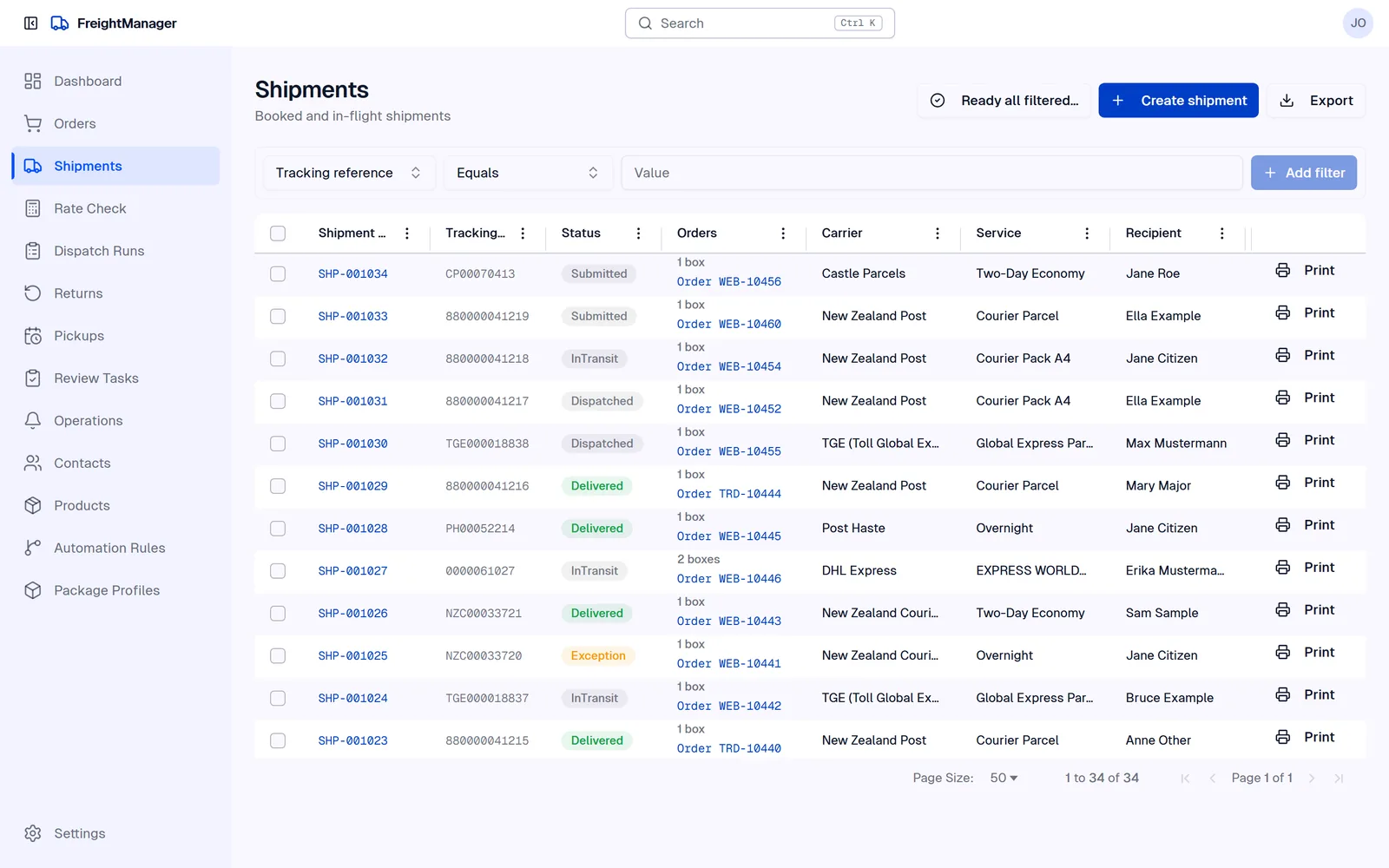
Freight Manager shipments list showing demo shipments across TGE Priority, NZ Post and DHL Express with their statuses

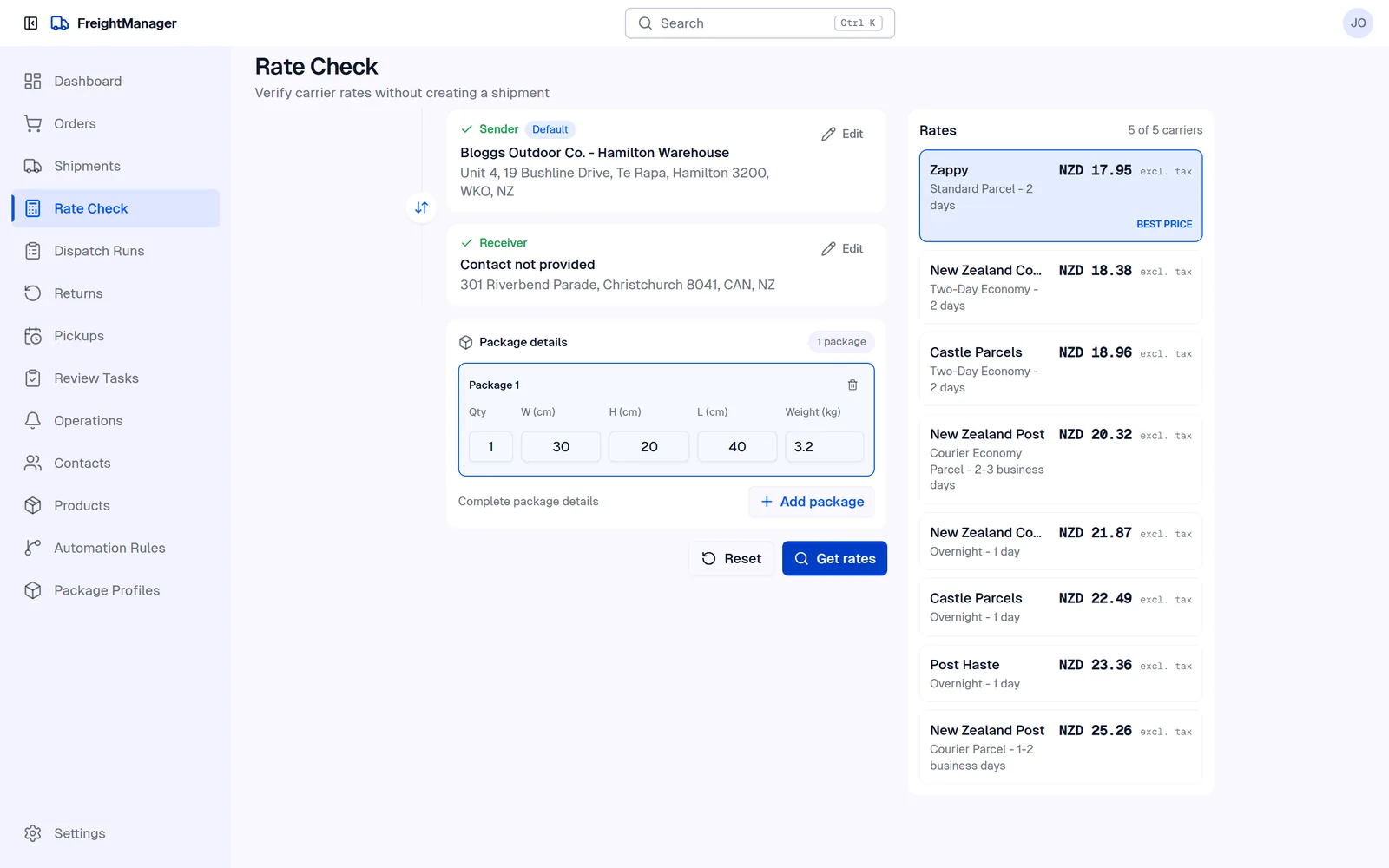
Compare prices before you book

Enter a destination and parcel size and see what each carrier charges and how long it takes, using your own account rates.

  • Prices and delivery estimates side by side
  • Saved parcel sizes for the boxes you use most
  • The best price flagged for you
Freight Manager rate check comparing several carriers for one parcel

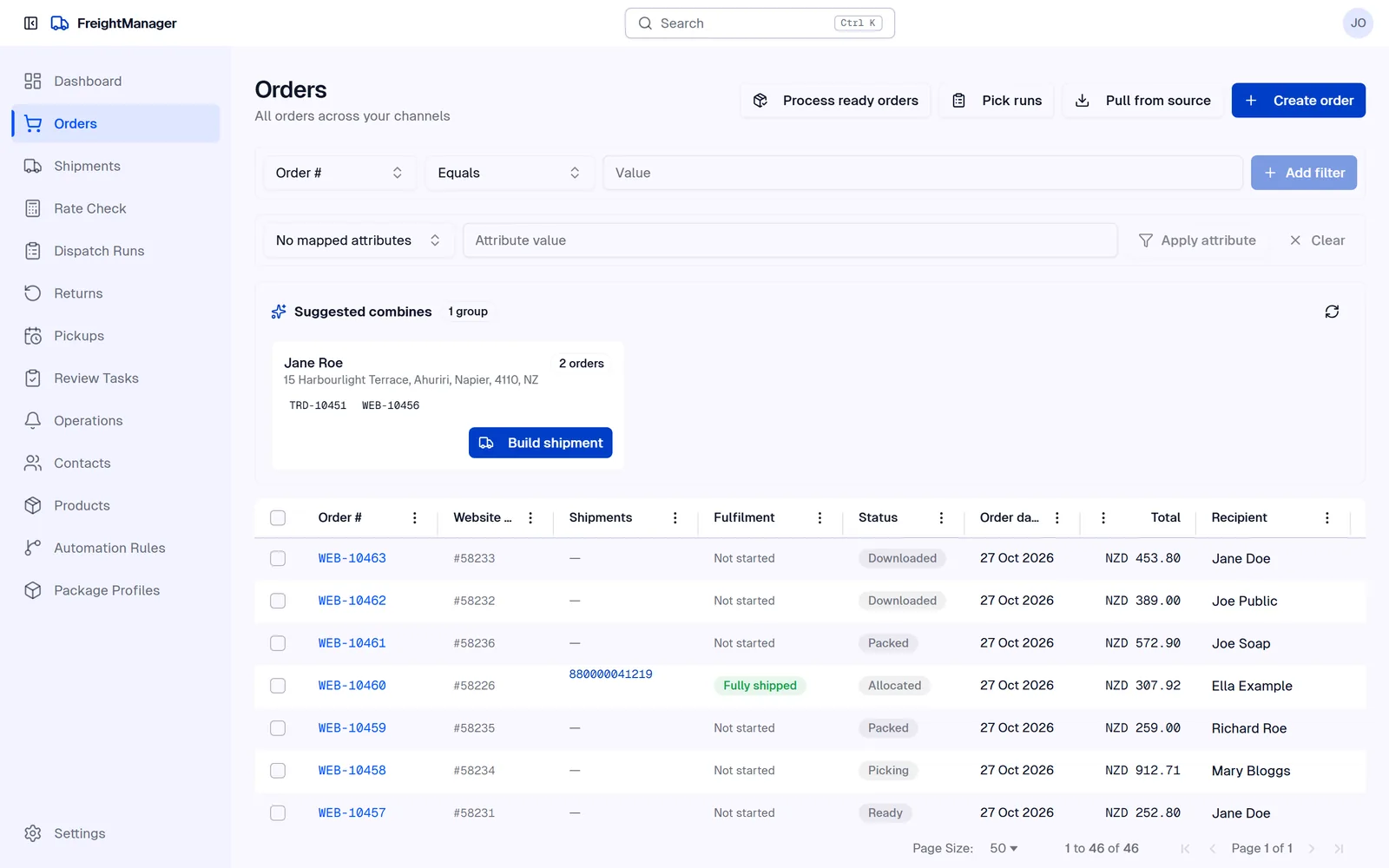
Orders come straight from your store

Connect WooCommerce or Magento (Shopify is coming soon) and new orders appear ready to ship. When the parcel leaves, the tracking number goes back to the store.

  • Problem orders, like a missing suburb, flagged for review
  • Split an order across several parcels
  • Order status updated in your store automatically
Freight Manager orders list with demo orders imported from an online store

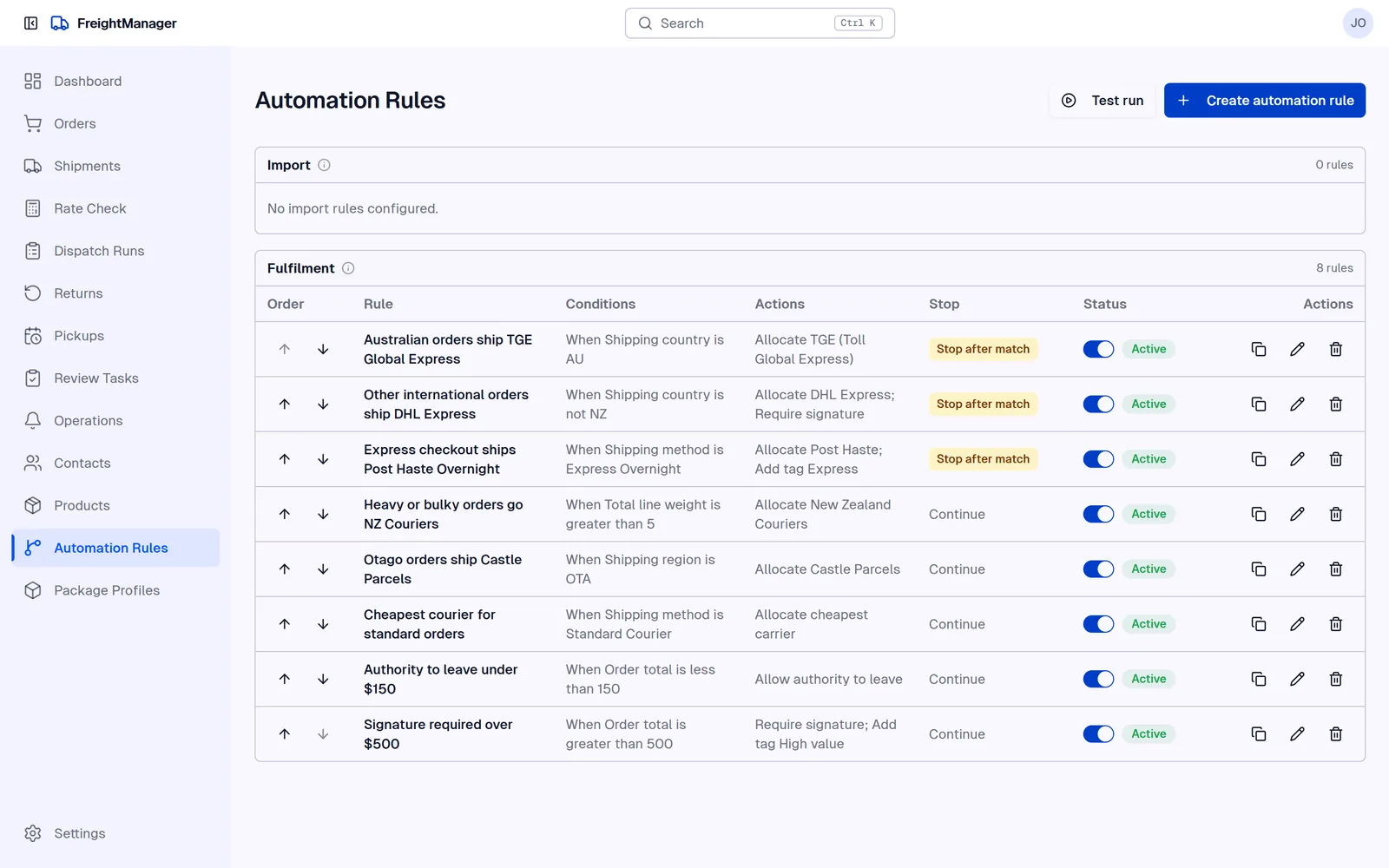
Let rules make the routine choices

Write the decisions your team makes every day as simple rules. For example: anything under 3 kg going to the North Island goes NZ Post.

  • Choose carrier, service and parcel size automatically
  • Stop orders that need a person to check them first
  • Rules apply the same way on every shift
Freight Manager automation rules list

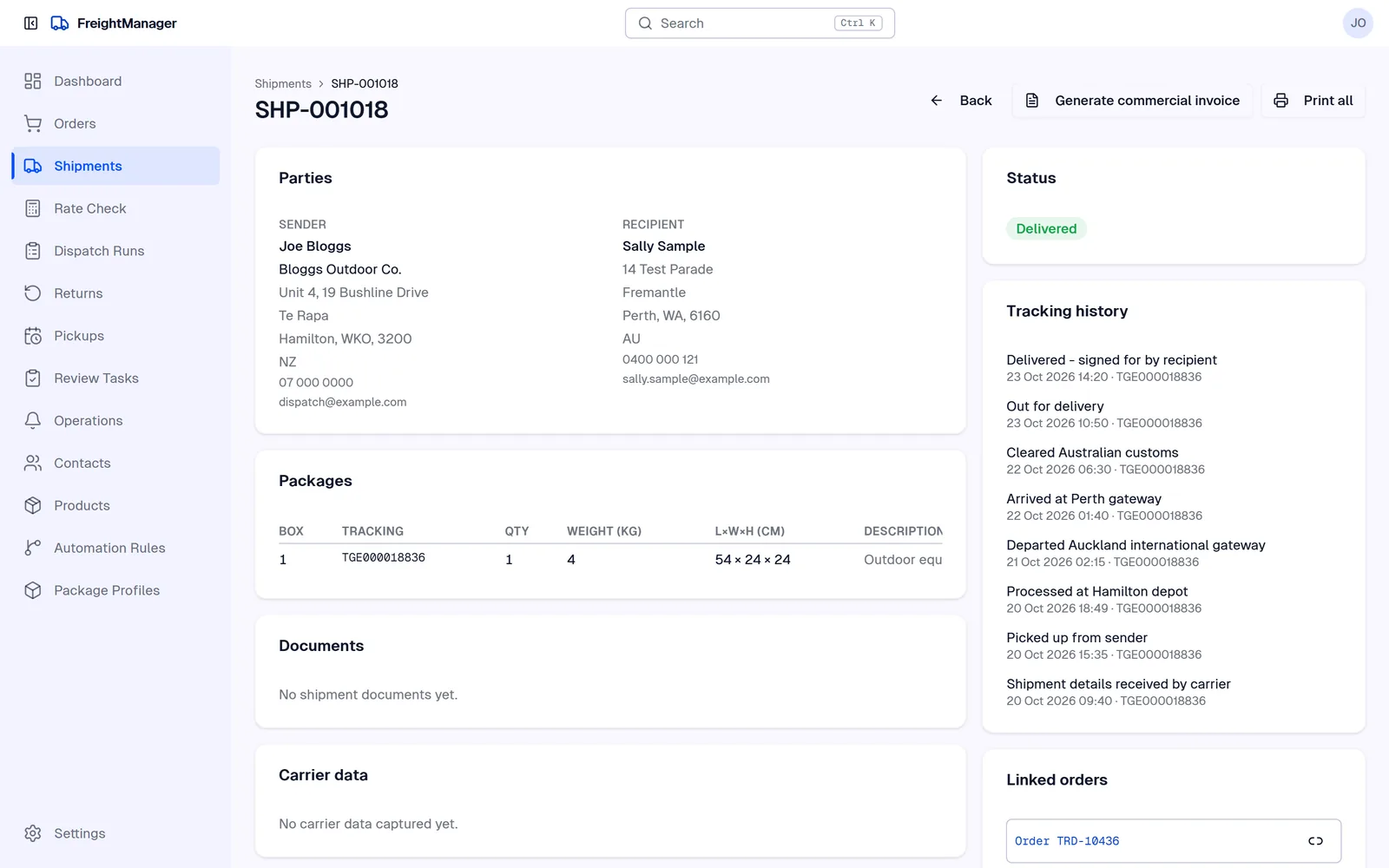
Follow every parcel to the door

Each shipment keeps its full tracking history from the carrier, from pickup to delivery, including customs clearance on parcels going overseas.

  • Every tracking step in one place
  • Customers emailed as the parcel moves
  • Linked back to the order it came from
A demo TGE Priority shipment from Hamilton to Perth, Australia, with its tracking history from pickup to delivery

Also included

  • Dispatch runs and pickups Close off each day's dispatch, submit Zappy manifests and book DHL Express pickups.
  • Returns Return labels for Post Haste, NZ Couriers and Castle Parcels, then check what comes back.
  • Customer updates Tracking emails to your customers from your own email address, plus Slack updates and exception alerts for your team.
  • Warehouse printing The Freight Manager Tray app for Windows sends labels straight to your label printers.
  • International Customs details for overseas shipments with DHL Express, and TGE Priority to Australia.
  • Address lookup Find and check addresses as you type.
  • Xero Invoices, payments and return credit notes sent to Xero automatically.
  • Users and roles Give each person the access their job needs.

Simple monthly pricing

Every plan starts with a 14-day free trial. Prices are shown in New Zealand dollars per month, excluding GST; ask us for pricing in your currency. Cancel any time.

Starter

$49 NZD / month

For a small team sending a few parcels a day.

  • Up to 250 shipments a month
  • 2 users
  • All supported carriers
  • Labels, tracking and customer emails
  • Email support
Start a free trial

Growth

$129 NZD / month

For online stores shipping every day.

  • Up to 1,500 shipments a month
  • 10 users
  • Everything in Starter
  • WooCommerce and Magento, Shopify soon
  • Automation rules, dispatch runs and returns
Start a free trial

Scale

$299 NZD / month

For warehouses with several packing stations.

  • Up to 5,000 shipments a month
  • Unlimited users
  • Everything in Growth
  • Tray app for warehouse printing
  • Xero connection and priority support
Start a free trial

Sending more than 5,000 shipments a month? Talk to us about a plan that fits. Payments are processed securely by Stripe. See billing, cancellation and refunds.

The first part of Zimpla

Zimpla keeps your products, prices, stock, customers and orders as one connected set of records. Freight Manager is the first part to launch, and it works from those same records. As the other parts arrive, you'll be able to switch them on without moving your data. Read about Zimpla.

Questions

Do I need my own carrier accounts?

Yes. You connect the accounts you already have with each carrier, so you keep your negotiated rates and your carrier bills you directly as it does now. Zimpla does not resell freight.

What does early access mean?

We're setting up a limited number of New Zealand businesses at a time so each one gets properly connected to its store and carriers. You get the full product, a direct line to the people who build it, and a say in what we build next.

How does billing work?

Your first 14 days are free. After that you're billed monthly in advance by card through Stripe. You can cancel at any time and keep access until the end of the month you've paid for. The full details are in our billing, cancellation and refunds policy.

How is the software delivered?

Freight Manager runs in your web browser, so there's nothing to install apart from the optional Tray app for warehouse label printing on Windows. Your account is ready to use as soon as it's set up.

Where is my data kept?

On Microsoft Azure servers in Australia. Each business's records are kept separate from every other customer's. You can read more in our privacy policy.

My carrier isn't listed. Can I still use Freight Manager?

Tell us which carrier you use. We're adding carriers based on what our customers need.

Get early access

Email us with your business name, the carriers you use and roughly how many parcels you send each week. We'll reply within one working day to set up your trial.

Email hello@zimpla.work
Zimpla Suite 16231, Unit A Level G
26 Hobson Street
Auckland City 1010
New Zealand
hello@zimpla.work